Publisher Web Integration
=========================
**Please Note:** This documentation references invoca.net in the Web Integration examples below. However, previous installations referencing ringrevenue.com are still valid.
With the publisher web integration code in place, you can dynamically display multiple promo numbers belonging to different campaigns or even different publishers (e.g., sub affiliates). You are also able to specify which promo number(s) to display. Any new numbers can be assigned and displayed on the fly. It's also easy to track SEM performance. With the RingPool feature enabled, set up search campaigns to redirect to your landing page and search promo numbers are automatically displayed on the landing page. You can then view reports that show the calls to a search promo number along with the search engine and the keywords that drove the call.
The following article assumes the web traffic is going to the publisher's landing page and provides instructions on how the publisher can integrate the landing page.
Installation instructions from a Publisher account
--------------------------------------------------
1. Access the Publisher Web Integration Code from the Campaign's Summary tab.
.. raw:: html
2. Under the Landing Pages and Applications section, click Get Code.
.. raw:: html
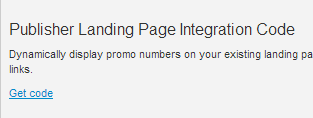
Note the ppc_id of your campaign. The ppc_id uniquely identifies the campaign and references the Publisher ID and Advertiser Campaign ID.
.. raw:: html

In the example above, the Publisher ID = 170981 and the Advertiser Campaign ID = 50979.
3. Place the publisher web integration code on the campaign landing page by inserting it in the footer just above the tag. This step only has to be done once. See examples below.
4. Flag each HTML element on your page where a number should be inserted. Each instance of this code signals to our code that a promo number should be displayed there. Wrap an HTML element (e.g. a